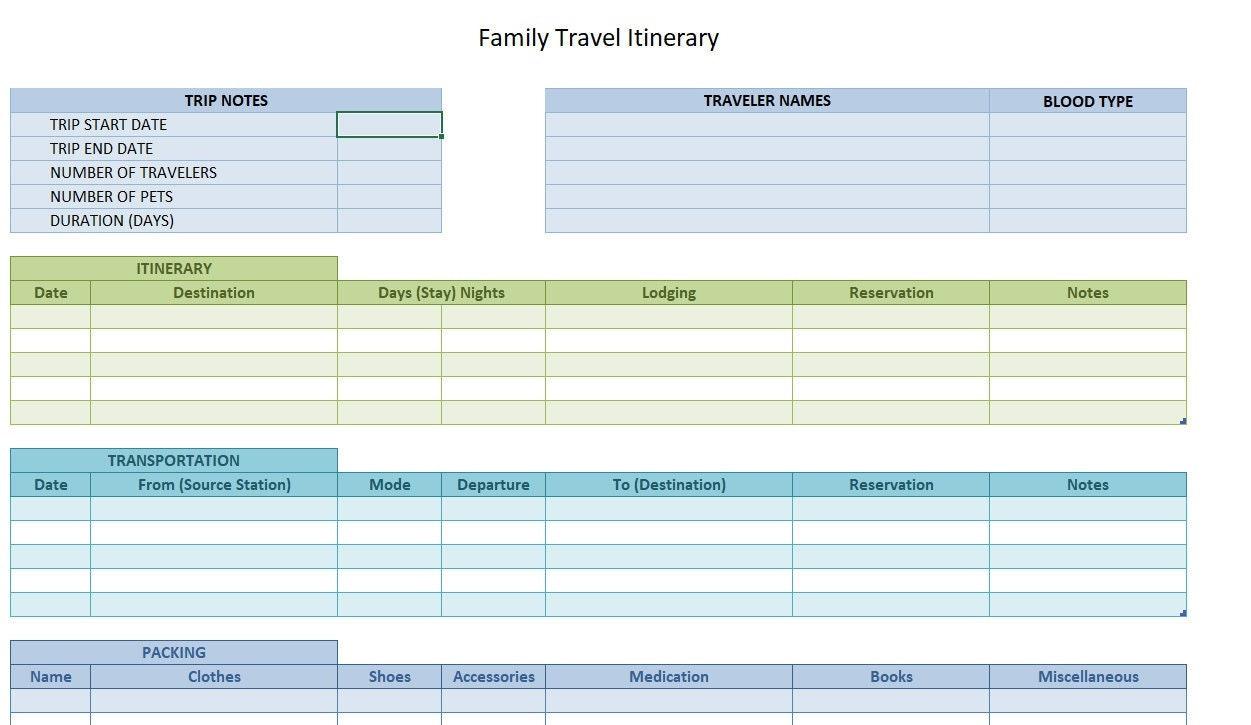
Planning a trip can be both exciting and overwhelming. With so many details to consider-flights, accommodations, activities, and transportation-keeping everything organized is essential for a smooth and enjoyable journey. Creating a travel itinerary in Excel is a practical way to manage your travel plans in one easily accessible place. Whether you’re a seasoned traveler or preparing for your first big adventure, using Excel allows you to customize your itinerary based on your specific needs and preferences. In this article, we’ll guide you through simple, step-by-step instructions to create a clear and effective travel itinerary using Excel, helping you stay on top of your plans with minimal stress. By the end, you’ll have a handy travel document that keeps your trip running efficiently, leaving more time to focus on making amazing memories.
Choosing the Right Templates and Tools for Creating Your Travel Itinerary in Excel
When embarking on the task of creating a travel itinerary in Excel, the first decision is selecting templates and tools that will simplify and enhance your planning experience. Gezify recommends starting with templates that offer flexibility alongside clarity-these usually include pre-built columns for dates, destinations, activities, and budget, ensuring you don’t miss vital trip details. While Excel’s built-in templates are handy for beginners, exploring third-party templates tailored for travel planning can provide more specialized layouts. For example, some templates integrate weather forecasts, reservation information, or even countdowns to keep the excitement alive. Tools like data validation dropdowns and conditional formatting help maintain a clean, user-friendly sheet by minimizing errors and visually differentiating between completed and pending tasks.
Before settling on a template, consider these key features that will improve your itinerary’s usability:
- Customization: Ability to add or remove columns depending on your trip’s complexity.
- Visual appeal: Clear fonts, color coding, and borders to make information easy to digest at a glance.
- Integrations: Compatibility with smartphone apps or sharing platforms, so your itinerary can move with you.
| Template Type | Best For | Key Feature |
|---|---|---|
| Basic Travel Planner | Weekend Getaways | Simple Date and Activity Columns |
| Detailed Itinerary Matrix | Multi-day Trips | Activity Time, Reservations & Notes |
| Budget Tracker Format | Long Vacations | Expense Categories & Totals |
Lastly, don’t hesitate to experiment with Excel’s formulas and dynamic features suggested by experienced Gezify travelers. Whether it’s summing up travel costs automatically or highlighting overlapping bookings, the right tools turn a standard itinerary into your trusted vacation companion.
Organizing Your Travel Details Effectively to Maximize Ease and Clarity
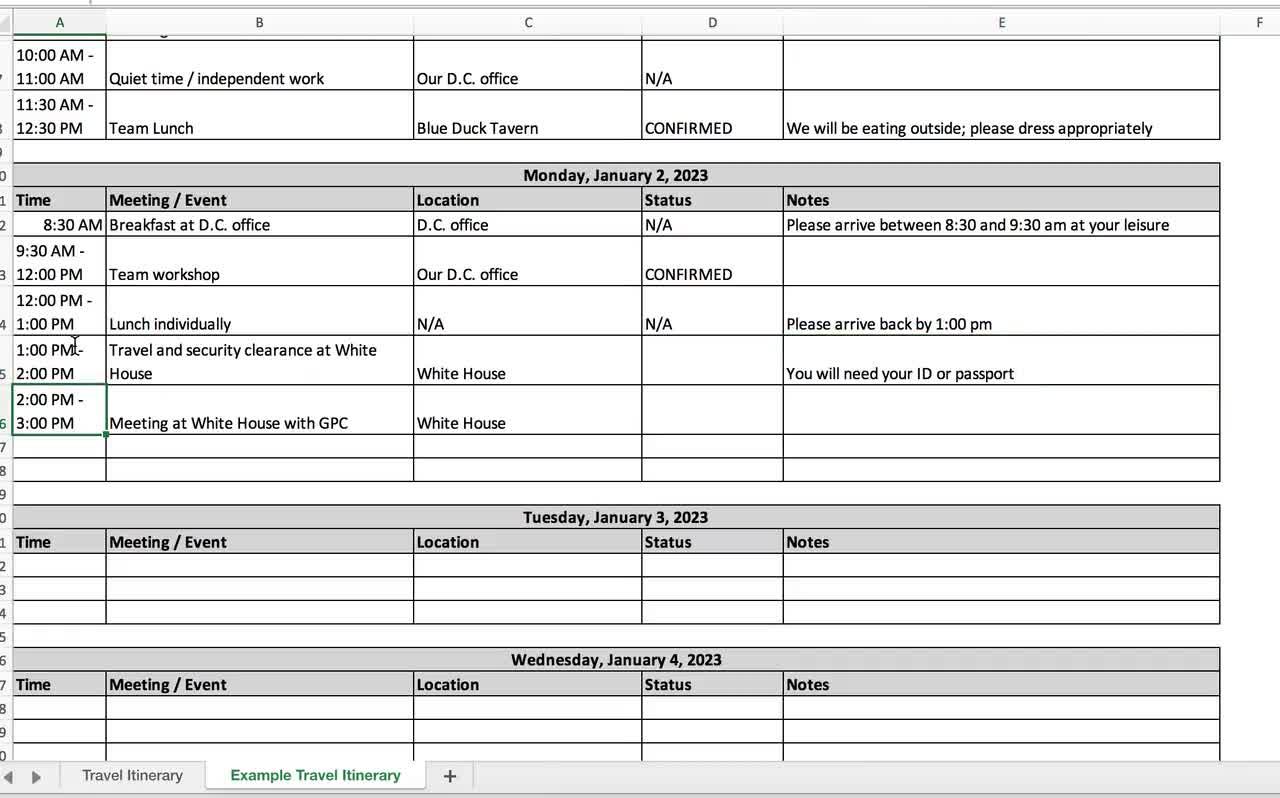
To maximize ease and clarity when managing your travel plans, it’s essential to break down your itinerary into well-defined categories and keep the details concise yet comprehensive. Start by using clear headers such as Transportation, Accommodation, Activities, and Meals. This approach helps you quickly locate information while on the move. Prioritize including critical details like departure times, confirmation numbers, contact info, and addresses. Instead of overcrowding your Excel sheet with redundant notes, use bullet points for quick references and reminders. Lists also encourage a visual hierarchy that reduces overwhelm. For example:
- Flight: Flight number, terminal, check-in time.
- Hotel: Booking ID, check-in/check-out times, address.
- Transfers: Pickup time, driver’s name, phone contact.
- Activities: Time, meeting point, ticket/reference number.
Leveraging tables in Excel further elevates your organizational flow by presenting your travel details side-by-side, which reduces scrolling and confusion. Here’s an example structure for your daily travel agenda that Gezify readers will find intuitive and helpful:
| Date | Time | Activity | Location | Notes |
|---|---|---|---|---|
| 10/07/2024 | 08:00 AM | Flight to Bali | JFK Airport | Check-in at counter B12 |
| 10/07/2024 | 02:00 PM | Hotel Check-in | Bali Resort | Reservation ID: 76342 |
| 10/07/2024 | 06:00 PM | Sunset Dinner | Beachfront Café | Reservation under “Gezify” |
By applying this blend of organized lists and visually appealing tables, your itinerary stays neat, actionable, and travel-ready. This method not only saves time but also reduces the typical stress of handling last-minute changes or extended trips. Customize the layout in your Excel as needed, and trust that organizing your travel details properly with Gezify’s simple tools will enhance your entire adventure experience.
Creating a travel itinerary in Excel doesn’t have to be complicated. By following these simple steps, you can organize your trip details clearly and efficiently, making your travel planning less stressful and more enjoyable. Whether you’re a seasoned traveler or planning your first adventure, a well-structured Excel itinerary ensures you stay on track and make the most of your journey. Remember, a little preparation goes a long way-happy travels!
Leave a Reply