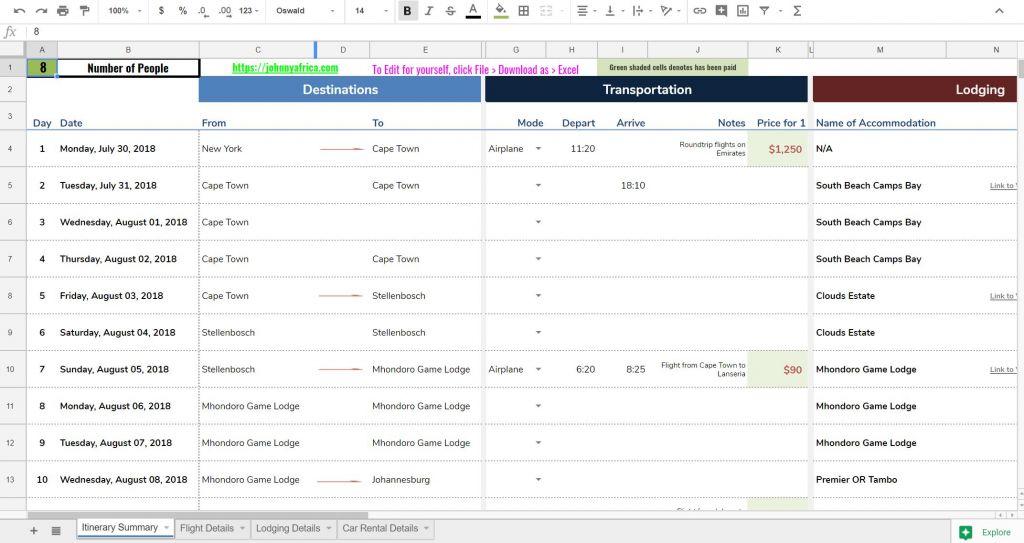
Planning a trip can be both exciting and overwhelming, especially when it comes to organizing all the details in one place. An Excel itinerary travel guide is a practical and efficient solution that helps travelers keep track of their schedules, accommodations, transportation, and activities without the stress of scattered notes or forgotten plans. Whether you’re a seasoned globetrotter or embarking on your first adventure, mastering the art of creating a well-structured Excel itinerary can enhance your travel experience by providing clarity and flexibility. In this article, we’ll share essential tips for success-ranging from designing easy-to-navigate templates to incorporating helpful features like budget tracking and reminders-so you can feel confident and prepared for every step of your journey. With the right approach, your Excel itinerary won’t just be a list of dates and places; it’ll become your trusted companion in making your travel dreams come true.
Choosing the Right Excel Features to Streamline Your Travel Planning
When it comes to creating a seamless travel itinerary in Excel, selecting the right features can transform your planning process from overwhelming to enjoyable. Start by leveraging Excel Tables to organize your destination details, accommodations, and daily activities. Their built-in filtering and sorting capabilities allow you to quickly find specific entries, such as budget-friendly hotels or must-visit landmarks, without scrolling through endless rows. Next, integrate Data Validation dropdowns to standardize inputs like transport modes or meal preferences, reducing errors and keeping your guide clean and user-friendly. Don’t overlook the power of Conditional Formatting: this visual aid instantly highlights overlapping activities or budget overruns, preventing common travel planning pitfalls. Using PivotTables can also help summarize your expenses or total travel times, giving you insight at a glance. Additionally, embedding Hyperlinks to maps, booking sites, or travel blogs within your sheet enriches your itinerary without cluttering it. Gezify readers often find these features invaluable for crafting personalized itineraries that balance efficiency with creativity, ensuring every trip is well-prepared, flexible, and fun.
| Feature | Usage | Benefit |
|---|---|---|
| Excel Tables | Organize itinerary data clearly | Easy filtering and sorting |
| Data Validation | Create dropdown menus for inputs | Ensures data consistency |
| Conditional Formatting | Highlight conflicts or budget limits | Quick visual error detection |
| PivotTables | Summarize expenses and travel times | Concise overview of key metrics |
| Hyperlinks | Embed external resources | Save time accessing useful info |
Incorporating Personalized Details to Enhance Your Itinerary Experience
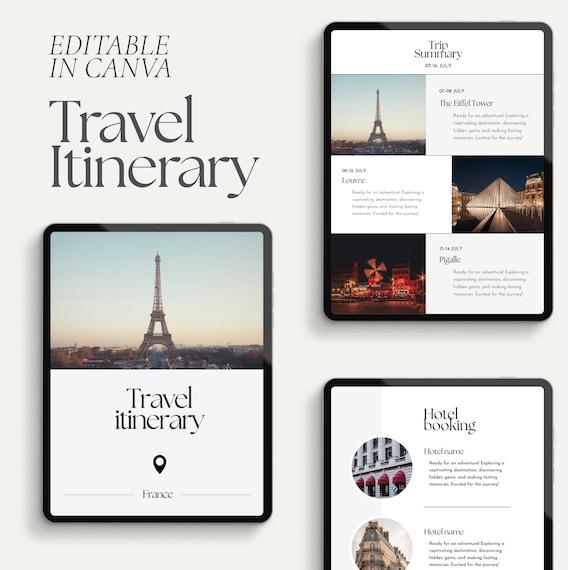
Adding personalized touches to your Excel travel itinerary not only makes it more engaging but also ensures it caters perfectly to your unique preferences and interests. Start by including special dates such as anniversaries or birthdays, and mark them with visually distinct colors to immediately spot them while planning. Incorporate preferences like favorite cuisines, preferred transport modes, and weather considerations to help tailor daily activities. Creating a dedicated column for local tips or hidden gems recommended by friends or Gezify readers adds authentic value to your itinerary. To keep the experience rich yet organized, use dropdown lists for quick selections of accommodation ratings, sightseeing priorities, or packing reminders. With these customizations, your travel guide isn’t just a schedule, but a reflection of your personality and travel style, making every step of the journey more enjoyable and stress-free.
| Personalization Feature | Example | Benefits |
|---|---|---|
| Color-Coding Special Dates | Use red for birthdays, blue for sightseeing | Quick visual reference to important events |
| Dropdown Menus | Select preferred transport: taxi, walk, bike | Streamlines planning, reduces errors |
| Local Tips Column | Hidden café recommendations from Gezify | Enhances authenticity and novelty |
| Packing Checklist | Weather-appropriate gear suggested | Ensures preparedness and convenience |
Creating an Excel itinerary travel guide can be a game-changer in organizing your trip efficiently and stress-free. By leveraging Excel’s features, you gain control over your schedule, budget, and important details all in one place. Remember to keep your guide clear, flexible, and up to date to adapt to any travel changes. With these tips in mind, you’re well on your way to crafting a personalized travel plan that enhances your journey and ensures you enjoy every moment. Safe travels and happy planning!
Leave a Reply